MausBox
Sovereign AI for knowledge work.
128 GB of memory and local AI, in one box. A concept; price to come.
Join the waitlistEverything it needs to run your AI at home.
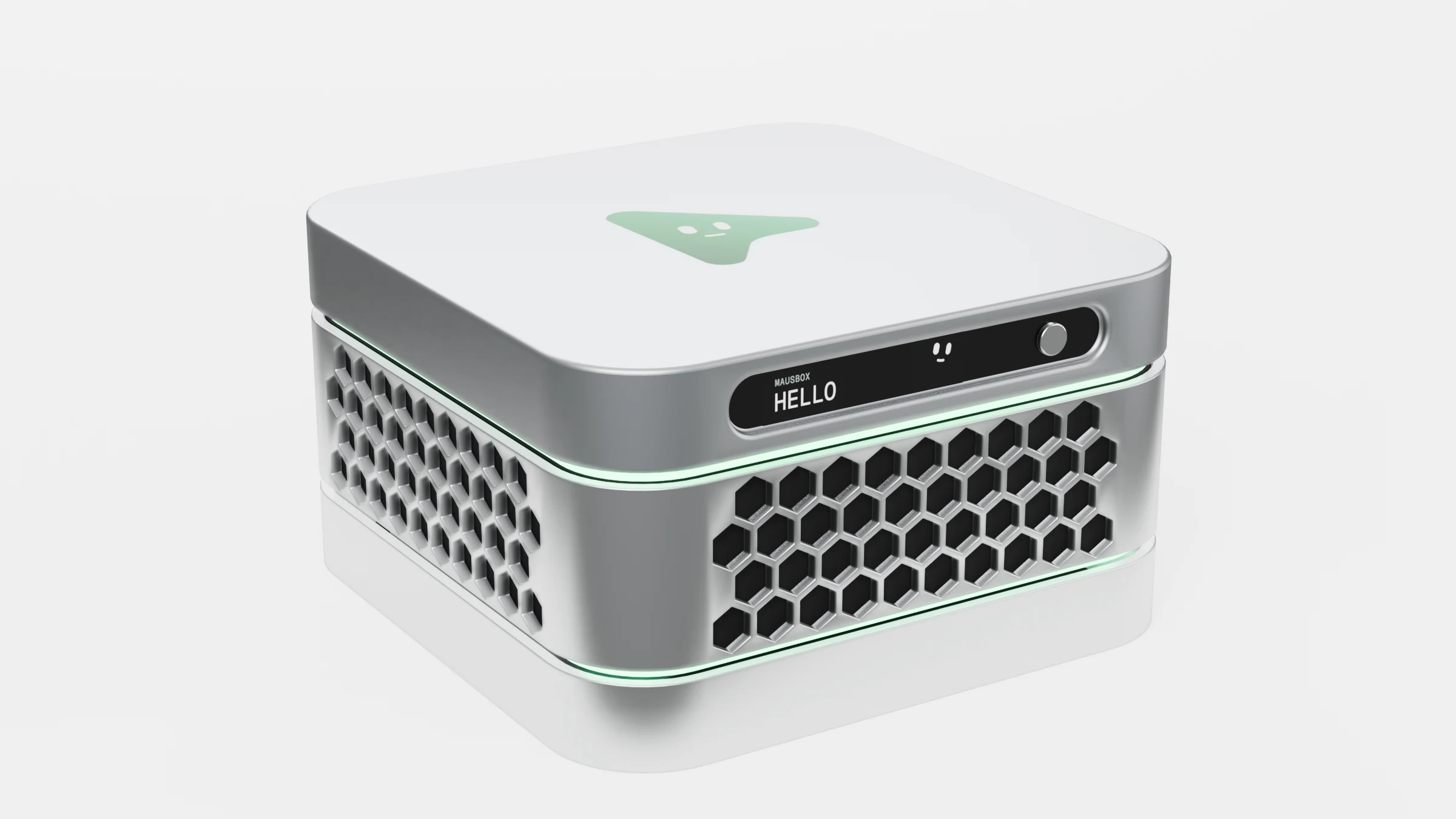
- Hexagon ventsAir comes in all round the middle layer.
- Pairs in secondsA code on the display links your MausBot apps.
- 2 TB SSDYour files and memory, at home. Stack a layer for more.
- Quiet, always onA slim fan keeps it cool around the clock.
- Local AIOpen models run on the box, even offline.
- AMD Ryzen AI Max+ 39516 cores, Radeon graphics and a 50 TOPS NPU.
- 128 GB unified memoryRoom for open models up to 120B parameters.
- 240 W, built inNo battery, no power brick. It stays on.
Concept specs. Final specs, price and availability may change.
Your AI reads your email, your files, your calendar.It runs open models like gpt-oss, Llama and Qwen.So it should live in your home, not someone else's cloud.
Your bots move in.
Every MausBot bot runs on the box, day and night. Each one has a job and the apps it needs, and it stops for your OK before anything leaves.
- Chief of StaffYour 7:30 brief is ready.Gmail, Google Calendar, Slack
- Sales Follow-upFour follow-ups drafted, waiting for your OK.Gmail, HubSpot
- BookkeeperMatched last week's payouts to invoices.Stripe, Gmail, Google Sheets
- Bug FixerOpened a fix for the new login bug.GitHub
- Support TriageSorted 12 new tickets. Two are urgent.Gmail, Linear
- Competitor WatchTwo competitors changed their pricing.Its own browser, Google Sheets
They work in the apps you already use
- Gmail
- HubSpot
- Google Calendar
- Slack
- Its own browser
- Google Sheets
- Stripe
- GitHub
- Linear
- Google Search Console
- Google Analytics
- Any MCP connector
Specialized computer‑use models, trained on your workflows.
MausBox learns the way you work and trains small models on the box to do it the same way. Your workflows never leave home.
Show it once
Do a task the way you always do, in your own apps. MausBox only watches when you turn it on.
It learns on the box
Overnight, it trains a small computer-use model on your runs. Nothing leaves home.
A bot takes it from there
Next time a bot clicks, types and checks its work in your apps, and stops for your OK before anything sends.
- Export last month's payouts from StripeDone
- Match each payout to an invoice in Google SheetsDone
- Flag the two that don't matchWorking
- Draft the email to your accountantWaits for your OK
An example workflow. Training on your own tasks is part of the MausBox concept.
MausBox
is the private home for your AI, with powerful on-device intelligence that never leaves your home.
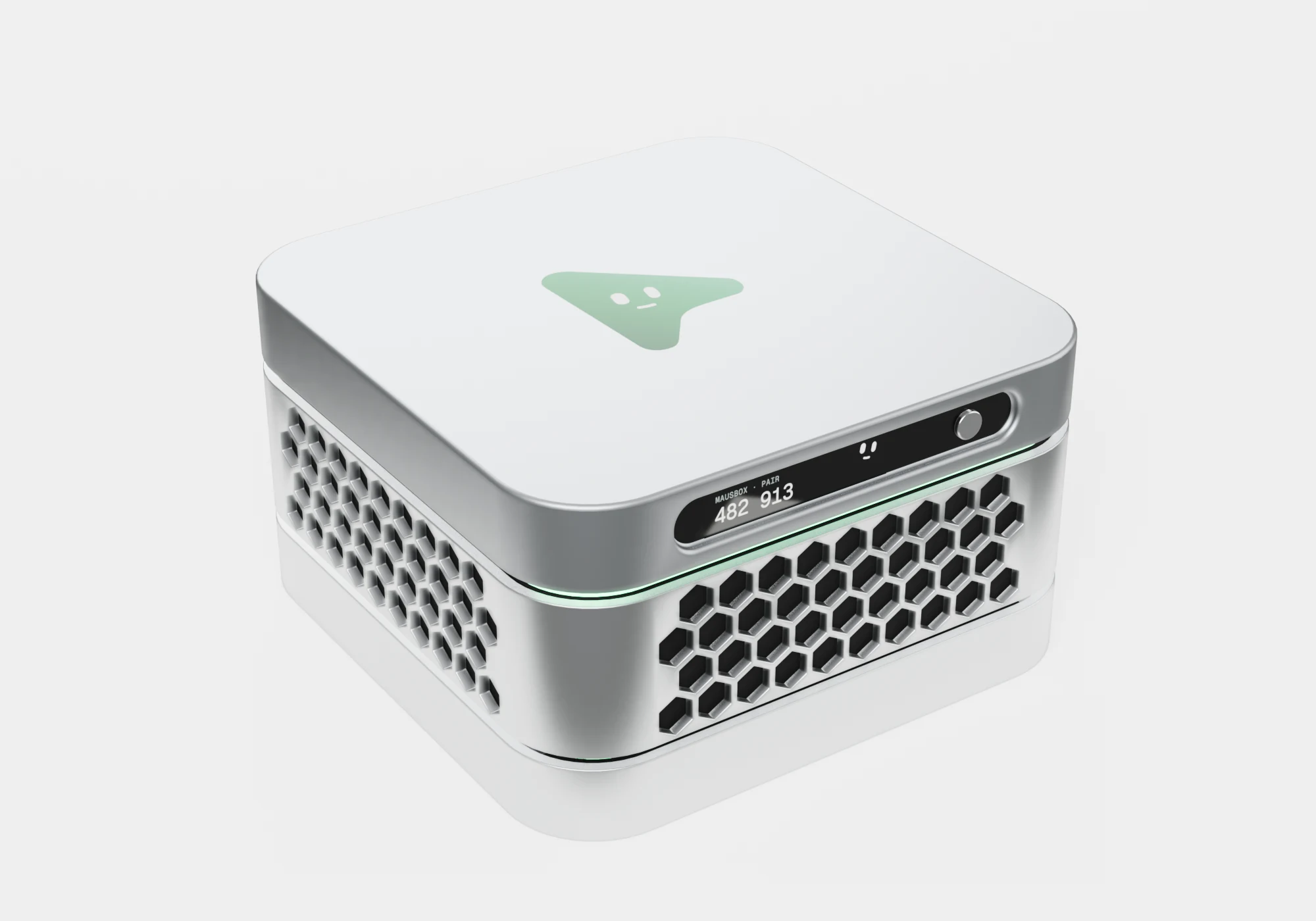
One quiet stack on a shelf by your router. It runs the AI models and your MausBot bots, keeps your files and memory on its own drive, and answers only to you.
Private. Personal. Always on.
Your data stays home.
Your bots work while you sleep.
Nothing runs without your OK.
Plug in. Pair. Talk.
No setup weekend, no terminal. Three steps and your AI lives with you.
- Step 1
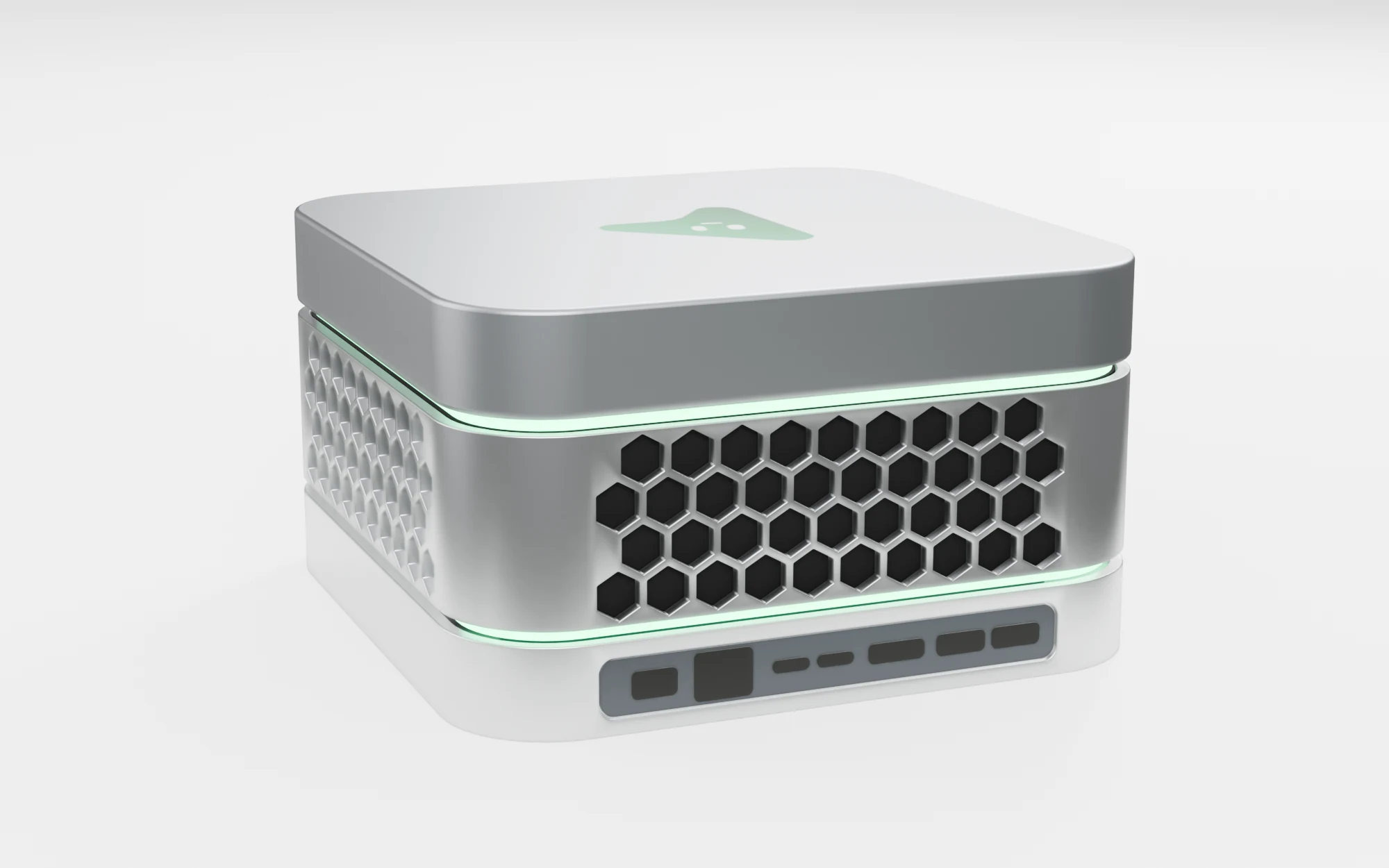
Plug it in
Power and an Ethernet cable into the bottom layer, or your Wi-Fi. MausBox starts its models by itself.
- Step 2
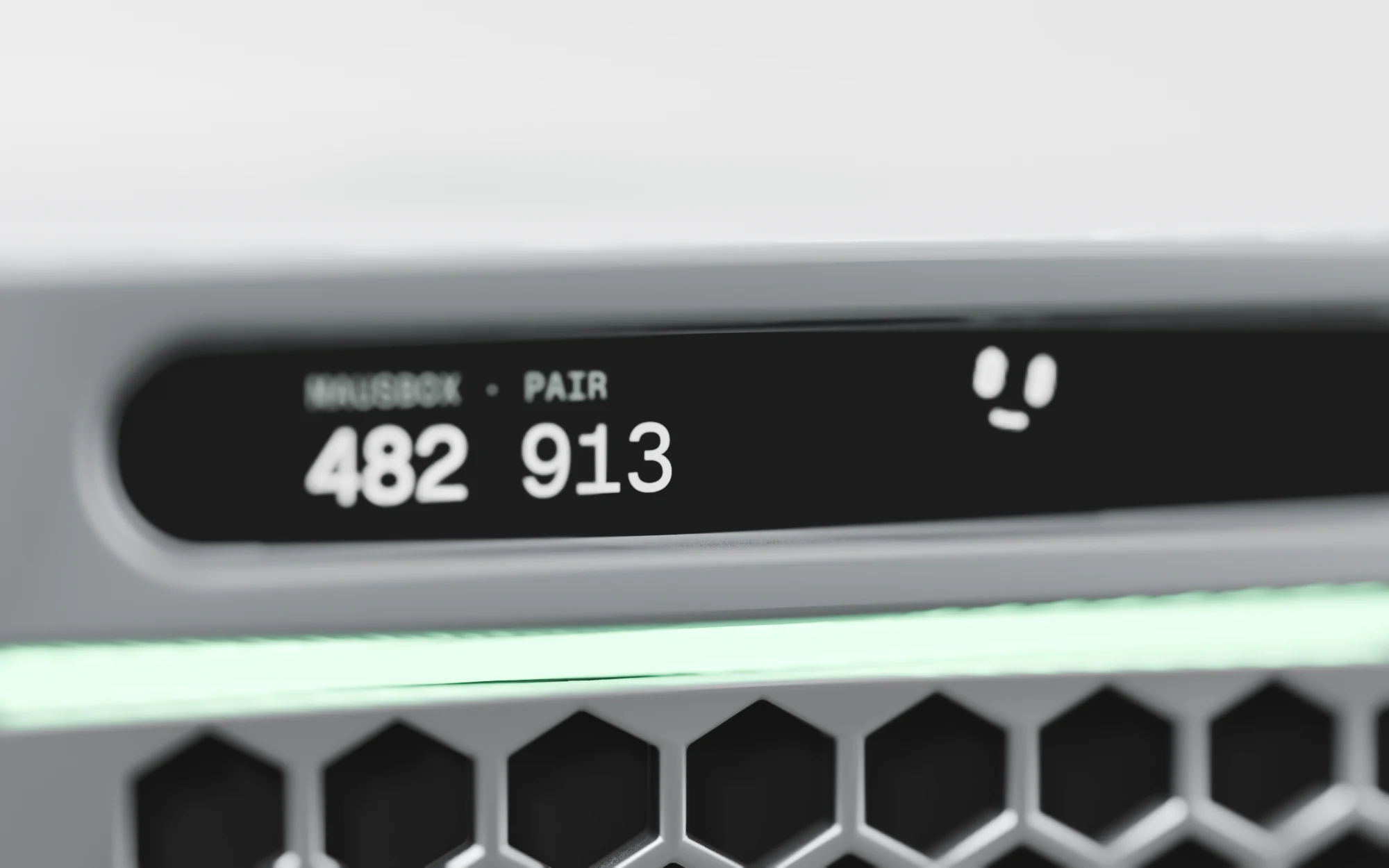
Pair your apps
The front display shows a six-digit code. Type it into MausBot on your computer or phone.
- Step 3
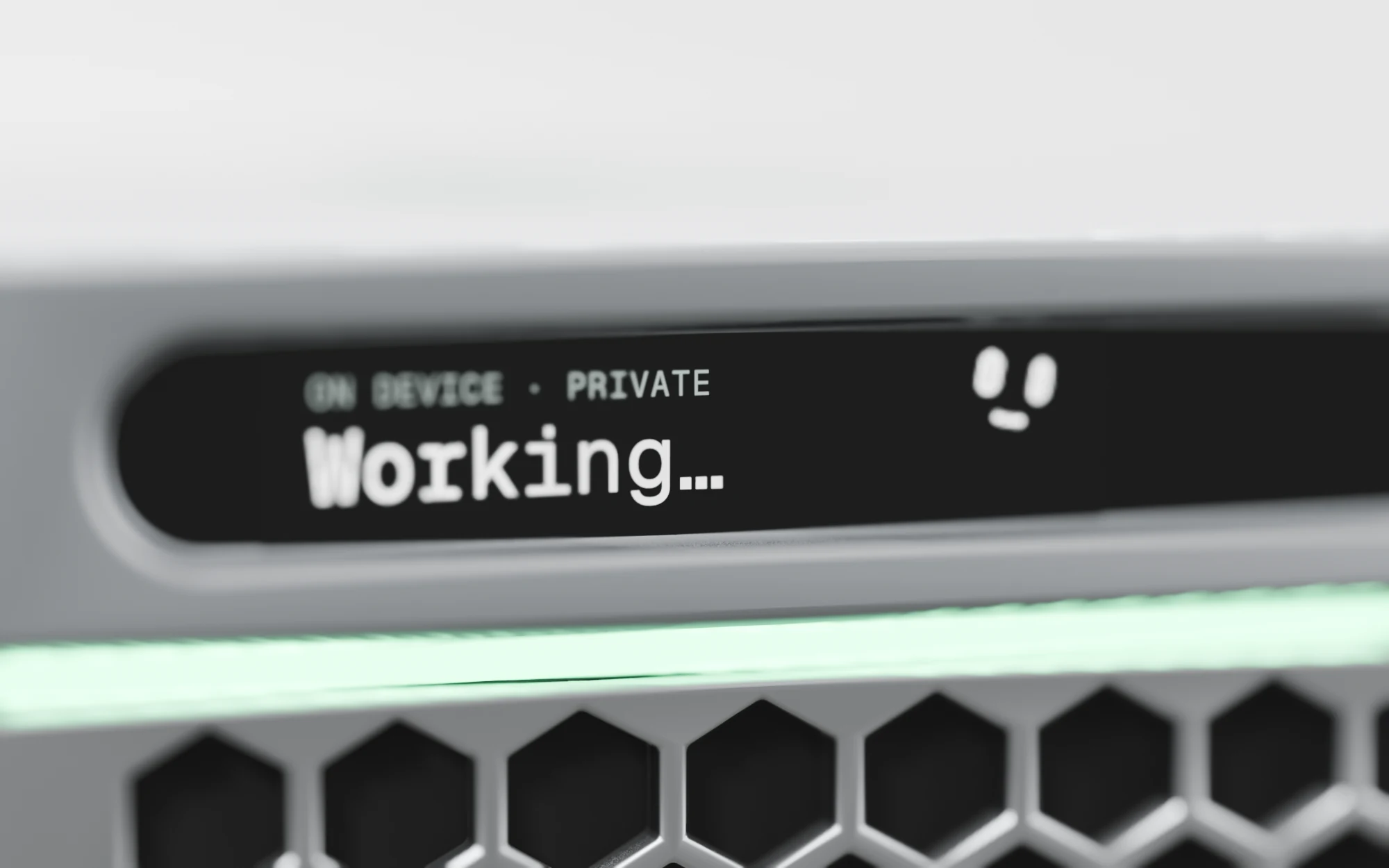
Start talking
Ask from anywhere you use MausBot. The thinking happens on the box, at home.
The model runs here.
Your data stays here.
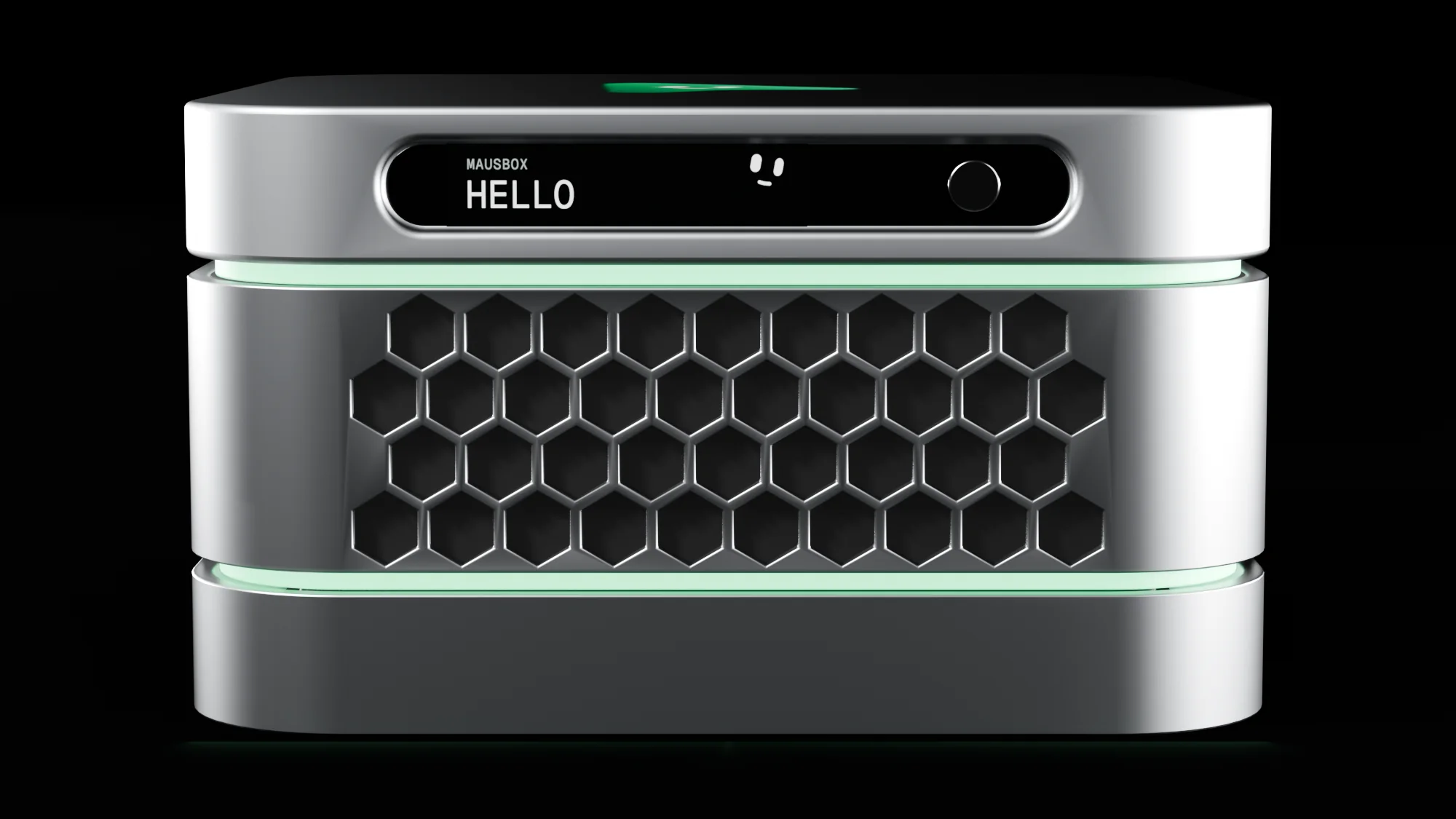
Your own AI, always on.
MausBox runs AI models on its own chip, so your questions, files and memories are kept on the box, not on someone else's server. No data leaves your home unless you send it.
Concept specs; final specs may change
- On-device AI
- Open models, on the boxChat, write, search and work through your files without sending them out.
- Privacy
- Private by defaultCloud models stay off unless you switch one on for a task.
- Software
- MausBot insideYour bots, routines and tools, ready from the first boot.
- Access
- Every MausBot appMac, Windows, iPhone and Android, at home or away.
- Updates
- Your callNew models and features arrive as updates you approve.
- Setup
- Plug and playPower, network, pair. No terminal.
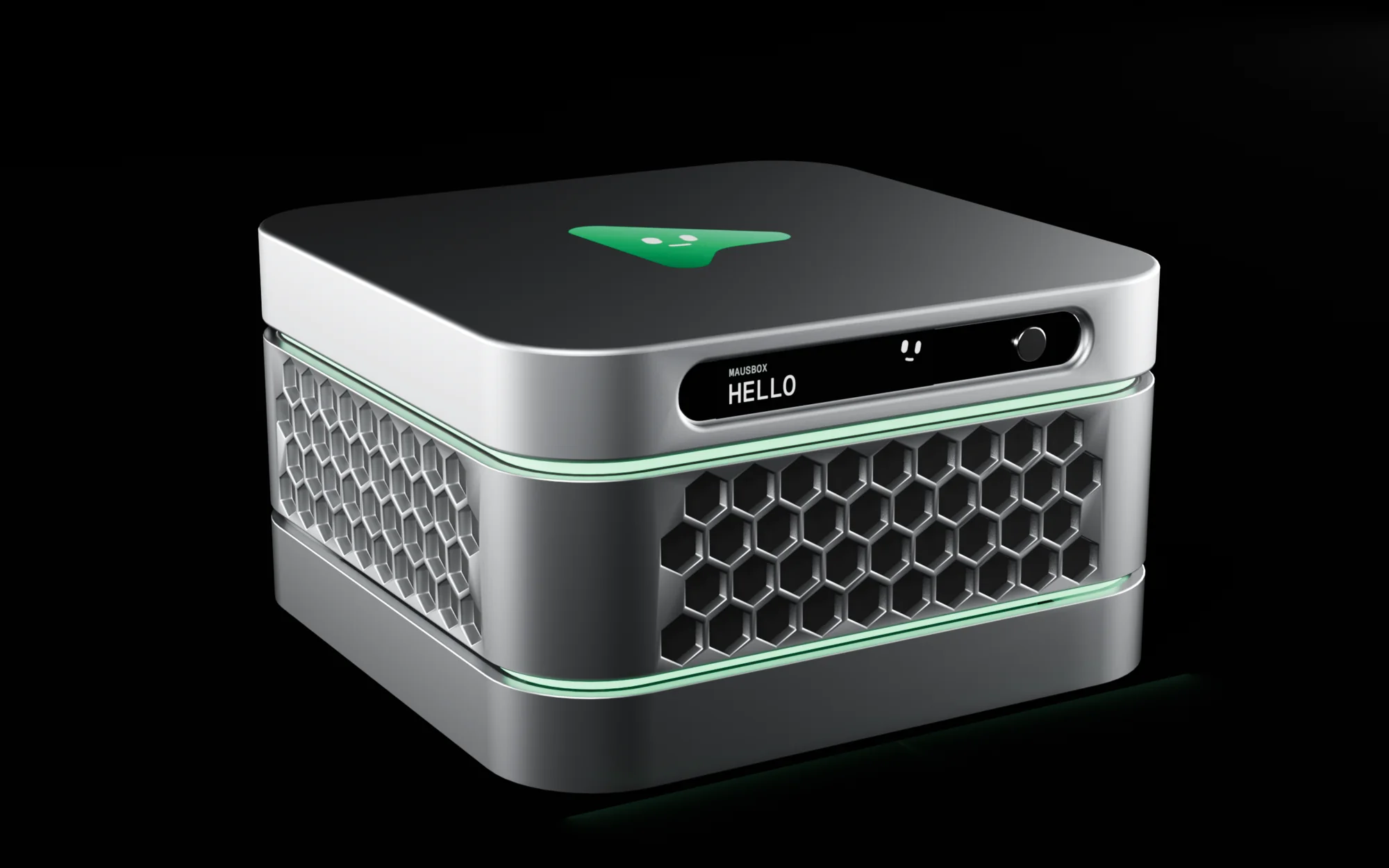
Tech specs
A concept. Final specs, price and availability may change.
- Chip
- AMD Ryzen AI Max+ 395: 16 Zen 5 cores, Radeon 8060S graphics, an XDNA 2 NPU with 50 TOPS
- Memory
- 128 GB LPDDR5X-8000, shared by the CPU, the graphics and the NPU
- Local AI
- Open models up to 120B parameters run on the box, and keep working offline
- Storage
- 2 TB PCIe 4.0 SSD in the top layer, with a second M.2 slot
- Expansion
- Stack another storage layer on top for more drives
- Network
- 5 Gb Ethernet and Wi-Fi 7
- Ports
- Two USB4 (40 Gb/s), two USB-A (10 Gb/s), HDMI 2.1, and USB-C on the front
- Power
- 240 W supply, built in. No battery: it stays plugged in and on
- Size
- About 156 × 156 × 88 mm, around 2 litres
- Finish
- Machined aluminium layers, hexagon vents and green light rings
- Software
- MausBot, ready at first boot, with updates you approve
Your AI, actually yours.
MausBox is a concept for now. Join the waitlist and we'll write to you when the specs, the price and the first batch are ready.