· 8 min read · Omkar Satpute and Milind Soni
Grok Bot Team Bots vs MausBot teams: shared agents compared
xAI's Grok Bot Team Bots, in public beta since Sept 28, against MausBot's Team plan and free rooms: price for five people, who runs the bot, chats, approvals.
Grok Bot Team Bots are shared agents an owner publishes to a team. They launched on September 28 in public beta for Cursor Teams and Enterprise, so the price is a Cursor seat: $40 or $120 a person a month, Grok only, on a vendor-run cloud computer. A MausBot team is a set of bots your people can put in a room together: free in the app, or $169 a month for up to five people on the Team plan, run by us, with the models you already pay for. Verdict: pick Team Bots if your team lives in Cursor and Slack and you want one bot per channel; pick MausBot if you want several agents in one room, more than one model, approval cards before shell commands and file edits, and a codebase you can read.
What a Grok Team Bot is
xAI announced Team Bots on September 28 as "Shared AI teammates that learn as your team works with them." Public beta, on the macOS app and in Slack, for Cursor Teams and Enterprise plans. A Team Bot has four parts: Context (files, instructions, skills), Plugins (Salesforce, Notion, GitHub, Slack and others), Credentials (for APIs without a plugin), and Memories. There are pre-built templates for Sales and Customer Success, Product and Engineering, Marketing, and Data Analytics.
One person, the owner, sets a bot up and publishes it to the team. Admins decide from the Cursor dashboard who gets it by default: all, none, or named groups. Admins also manage connector policy, Team Rules, and Auto-review. After that each teammate gets a private chat with the bot. The owner cannot read those chats, and the teammates cannot read each other's. Memories are per user; skills are shared.
In Slack each Team Bot has its own handle. People DM it or @mention it in a channel, every thread is its own conversation, and it only answers people who have linked Slack to Cursor. One bot in a channel with many humans is the normal case.
The computer model matters. xAI's FAQ says a user account gets one persistent cloud computer, and a Slack channel or group DM runs on a shared computer for that bot. Enterprise users each get a dedicated Firecracker microVM. Billing follows the same line: a Team Bot's usage counts against the teammate's own allowance, not the owner's. On Teams that allowance comes from the seat plan, resets weekly, and on-demand billing is on by default with no separate Grok Bot spend cap. Standard is $40 a user a month; Premium is $120 with five times the usage. There is no Team-Bots-specific price.
Enterprise, live since September 3, adds the controls a security team asks for: an org-level on/off switch, SCIM 2.0, group access, local execution modes, four network modes, Team Secrets (100 per team, 32KB each, 25 per bot), audit logs, OpenTelemetry export, opt-in conversation export, and a Privacy Mode that means no training. Action recording is off by default.
What a MausBot team is: AI agents for a small team
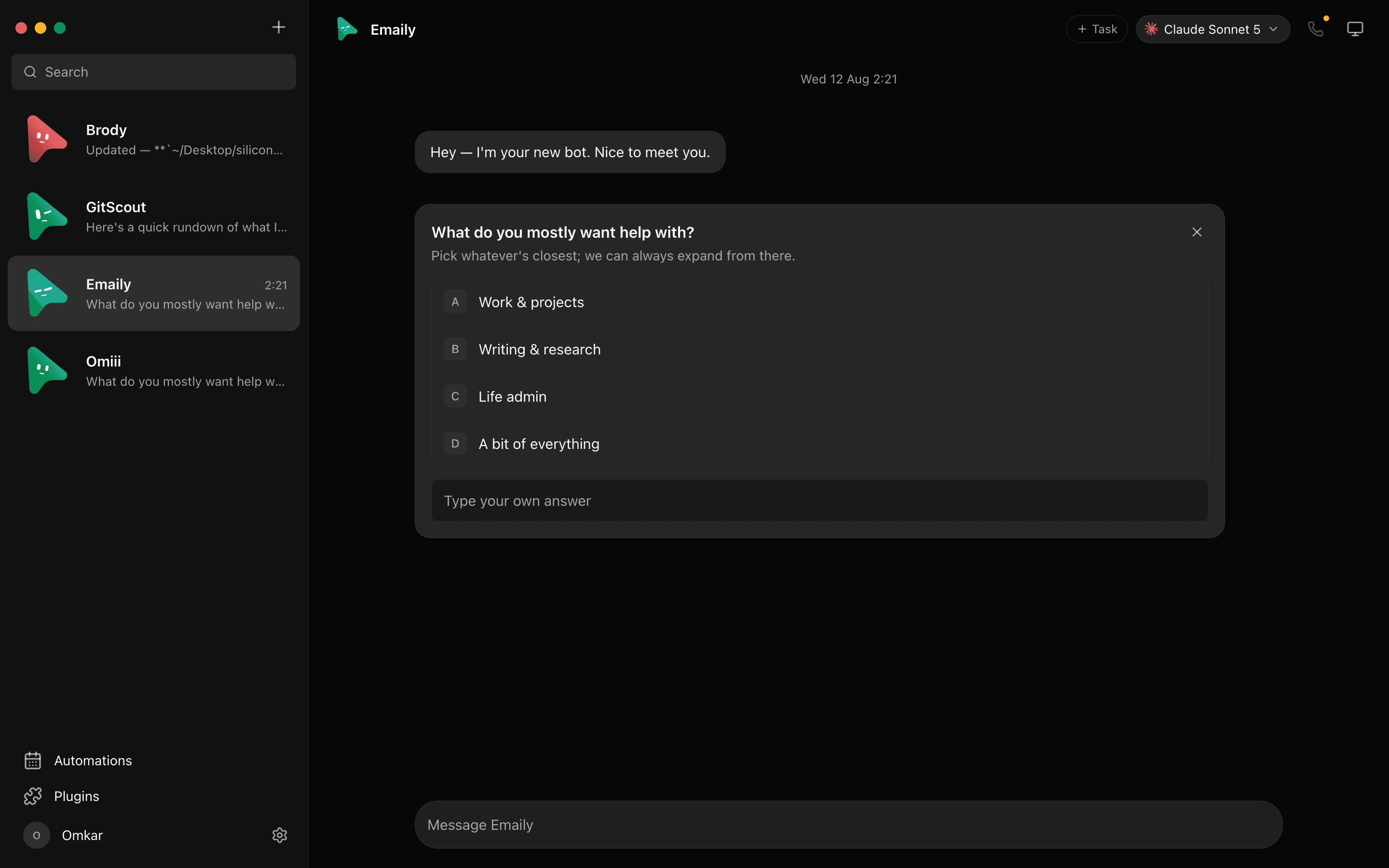
MausBot, published on GitHub as MausBot, is a chat app where every contact is a bot with its own model, its own computer, and its own connected apps. A team is what happens when you put several of those in a room. All of this is in the free app:
- Group rooms. Bots in a room answer by default, all at once, or only when @mentioned. They ask each other questions and hand off work, and group calls put the whole room on one line.
- Peer-comms approval card. Before one bot can talk to another, you approve it. Which bots may hand work to which is a decision you make, not a default.
- Export and import a team. A team is a file. Build it once, hand it to a colleague, or pick one from the botmrr.io catalog.
- Any model per bot. Bots run on the
claude,codex, orgrokCLI with the login you already have. The sales bot can be on Claude and the inbox bot on Codex, in the same room.
For a company that wants more than the free app, there are two hosted plans and a self-hosted option. Team is $169 a month for up to 5 people: shared bots, rooms, and roles; 4 cloud computers at once; 250 computer-hours a month shared; about 5 hours of voice; priority email support. Business is $599 a month for up to 20 people, $25 each beyond that: 10 cloud computers, 1,000 hours, about 20 hours of voice, an admin console for people, activity, and usage, SSO coming soon, and an onboarding call. Business self-hosted is $299 a month billed yearly for up to 20 people on your own servers, with no caps on computers or hours because the hardware is yours. In every plan, model usage is on your own accounts or keys; MausBot does not sell model usage.
Side by side
The Grok column comes from xAI's announcement, the Team Bots docs, and Cursor's plan page. Seat prices are the plans' list prices. Where a company has not said, the cell says so.
| Grok Bot Team Bots | MausBot | |
|---|---|---|
| Price per month for 5 people | 5 x $40 = $200 on Cursor Teams Standard, or 5 x $120 = $600 on Premium; Grok Bot usage draws from each seat's allowance, on-demand on by default | Free app, or $169 on the Team plan; model usage on your own Claude, ChatGPT, or Grok accounts |
| Who creates a bot | An owner sets it up and publishes it; admins add it to members by default | Anyone makes a bot in the app; a team can be exported and imported, or picked from the botmrr.io catalog |
| Who can read whose chats | Nobody else: each teammate has a private chat with the Team Bot, and the owner cannot read it | A room is shared by everyone in it. Free app: one-to-one chats stay in ~/.openmausbot on that person's disk. Hosted plans: the Business admin console shows people, activity, and usage |
| Where bots run | One persistent cloud computer per user account; Slack channels run on a shared computer for that bot; Enterprise users each get a Firecracker microVM | Your own machine, or a cloud desktop per bot; the Team plan runs 4 cloud computers at once with 250 shared hours a month |
| Models | Grok only | Claude, Codex, Grok, and more, chosen per bot |
| Bots talking to each other in one room | Bot group chats of 2 to 6 bots exist in Grok Bot; the Team Bots docs describe one Team Bot in a channel with several humans and do not say whether several can share one | Yes: rooms where bots ask each other questions, hand off work, and answer by default, all at once, or only when @mentioned |
| Slack | Each Team Bot has its own Slack handle; DM it or @mention it in a channel; one bot with many humans in a channel | On the Team and Business plans, a company assistant and your bots answer in the Slack channels you approve and in direct messages; in the free app, Slack is a connected app a bot can read and post to |
| Before it acts | Admins set Auto-review and Team Rules; local commands run only under a local-computer policy with approval | Allow / Deny cards for shell commands and file edits, answer cards for questions, and a peer-comms card for who may talk to whom |
| Admin controls | Cursor dashboard: default bots per group, connector policy, Team Rules; Enterprise adds SCIM 2.0, network controls, Team Secrets | Team plan: shared bots, rooms, and roles; Business adds an admin console, SSO coming soon |
| Audit | Enterprise: audit logs, OpenTelemetry export, opt-in conversation export; action recording off by default | A decision log of every approval; Business console shows activity and usage |
| Self-host | No | Yes: npx openmausbot serve on your own server; Business self-hosted is $299 a month billed yearly for up to 20 people |
| Open source | No | Yes, Apache 2.0, published on GitHub as MausBot |
The questions a shared bot raises
A shared agent is a new object in a company, and the open questions about it are not about features. An analysis on note.com of the Team Bots launch put four of them plainly: whose credentials execute a shared bot's actions; which login and which computer a given run happens on; how the use of a credential is approved and audited; and what happens to the bot, its secrets, and its memories when the owner leaves. xAI's docs answer the computer question (one per user account, shared for Slack channels) and the Enterprise tier answers audit, but the credentials and offboarding questions are not spelled out in the public docs as of this writing. The same analysis notes that a Windows date for Team Bots is undisclosed.
Reliability is the other thread. On the Cursor forum in late September, users reported "Bot failed to respond" after a cloud computer reset, chat history rolling back across devices, and routine runs rejected by the weekly limit. These are beta reports, not a verdict, but a team that depends on one shared computer per account inherits every one of them at once. We covered the earlier shared-computer outage in Grok Bot vs MausBot.
In the free app and on the self-hosted plan, the answers are structural. A bot acts with the connected apps you authorised, through scoped tokens on your own disk, and no password is ever handed to a bot. The computer is the one in front of you, or a cloud desktop you opened for that bot. Shell commands and file edits stop at an Allow / Deny card, and the decision log keeps the record. When someone leaves the free app, their bots, tokens, and transcripts are a folder in their ~/.openmausbot, not a row in someone else's cloud. On the hosted Team and Business plans the workspace runs on our servers, with the admin console showing people, activity, and usage.
Where Team Bots are ahead
Be honest about the other column. If your company already runs on Slack, a Team Bot with its own handle has a head start: it is in public beta today, where MausBot's Slack presence comes with the Team and Business plans (bots answer in the channels you approve and in direct messages) and the free app treats Slack as a connected app a bot can read and post to. Team Bots ship with Salesforce, Notion, and GitHub plugins and four templates that a sales or marketing lead can publish without building anything. Enterprise brings SCIM, network controls, Team Secrets, and audit logs on day one; MausBot's Business plan has an admin console and SSO coming soon, and relies on the decision log and, on the self-hosted plan, your own server for the rest. And "Teach a task" by screen recording, still rolling out, has no equivalent here; a MausBot bot does not learn a workflow by watching you.
There is also the question of scale. Team Bots are built for a company that already has a Cursor Teams or Enterprise contract. MausBot is a young project with about 3,200 GitHub stars and a Team plan sold on a call.
Which to choose for a small business
Choose Team Bots if your team is on Cursor Teams or Enterprise already, lives in Slack, is happy with Grok as the only model, and wants an owner to publish one bot that everyone chats with privately. The price is $200 a month for five people on Standard before any on-demand usage, and $600 on Premium.
Choose MausBot if you want several agents in one room, each on the best model for its job; if you want approval cards before shell commands and file edits rather than an admin policy; if you need the transcripts and tokens on your own disks or your own server; or if someone has to review the code before a bot touches company data. Start with the free app and a room of three bots. If the laptop needs to stay shut, the Team plan at $169 a month runs the whole team in the cloud for up to five people.
If you are still deciding between the agent products themselves rather than the team layer, see Muse vs Grok Bot vs Dots vs Cue and the Grok Bot pricing breakdown.
Frequently asked questions
- How much do Grok Bot Team Bots cost?
- There is no separate Team Bots price. They come with Cursor Teams Standard at $40 a user a month and Premium at $120 a user a month, which has five times the usage, plus Enterprise with pooled usage. Each teammate's use of a Team Bot draws from that teammate's own seat allowance, which resets weekly, with on-demand billing on by default.
- Can teammates see each other's chats with a shared bot?
- No. Each teammate gets their own chat with a Team Bot, memories are per user, and the owner who published the bot cannot read anyone else's chat. Skills, context, plugins, and credentials are the shared parts.
- Does MausBot have team plans for a small business?
- Yes. Team is $169 a month for up to 5 people, run by us, with shared bots, rooms, and roles, 4 cloud computers at once, and 250 computer-hours a month. Business is $599 a month for up to 20 with an admin console, 10 computers, and 1,000 hours. Business self-hosted is $299 a month billed yearly on your own servers. Model usage is always on your own accounts.
- Can MausBot bots share a room and work together?
- Yes, in the free app. Put bots in a group room; one answers by default, or all, or only the ones you @mention. Bots ask each other questions and hand off work, and a peer-comms approval card decides which bots may talk to which. You can export the whole team as a file and import it on another machine.
- Which is open source?
- MausBot, which is published on GitHub as MausBot under the Apache 2.0 licence. Grok Bot and Team Bots are closed and run on a cloud computer the vendor runs.
Get started with a team of agents
No seat minimum, no contract. Download for macOS, Windows, or Ubuntu, sign in with the CLIs you already have, make three bots, and put them in a room. Or read the source on GitHub first. When you want it run for the whole team, the Team plan starts at $169 a month for up to five people, and Enterprise covers your own brand or your own infrastructure.