· 8 min read · Omkar Satpute and Milind Soni
Muse for Small Business vs a team of bots you own
What Meta's Muse for Small Business is, what it is not, the trust questions a business has to ask, and how the same five jobs run on a team of bots you own.
Muse for Small Business, launched September 29, is not a new product. It is a set of connectors and skills inside the personal Muse, in the US and Canada, free for most people and $20 or $100 a month per person for more usage. One agent per person, in Meta's cloud, with no team layer, no seats, and no admin. The alternative is a team of bots you own: MausBot runs several agents on your own machine, on the Claude, ChatGPT, or Grok plan you already pay for, free, with a Team plan at $169 a month for up to five people when you want it run for you.
What Meta shipped on September 29
Muse for Small Business adds business connectors and skills to the Muse agent Meta launched on September 8. The pitch in Meta's words: "Give Muse a goal, like running your business or finding new customers, and it gets it done." The connectors: Asana, Box, Canva, Dropbox, Figma, Granola, HighLevel, Intuit QuickBooks, Klaviyo, Lovable, Notion, Shopify, Slack, Stripe, and Zoom, plus Facebook Pages, Instagram professional accounts and their analytics, and Meta ad accounts. Custom connectors are supported.
What it does, per the launch post: analyze sales, campaigns, and social and write a growth plan; flag urgent emails and draft replies; analyze ad and content performance and draft campaigns; review monthly financials and flag unusual expenses; and make proactive suggestions. The guardrail is one line: "Nothing publishes, sends, or spends without your approval."
Price: free for most people. Power is $20 a month for 500 million tokens a week and Maximum is $100 a month for 3 billion, the same tiers as the consumer Muse, per person. Meta's help center describes the business features as in limited testing and not available in all locations.
What it is not
Read the launch post twice and the shape is clear. There is no business account. No seats, no org, no admin console, and no business data processing agreement published. It is available in the US and Canada only, with no date for anywhere else, and there is no Windows app for the agent; the Mac app is a client for a VM in Meta's cloud. Most of all it is one agent: your own Muse, with work connectors switched on. Two employees who both set it up have two separate Muses in two personal Meta accounts, with no org linking them, and the business owns neither.
Does Muse actually work for a business? The trust question
Three things are confirmed in Meta's own writing. First, in Meta's security post from September 8, Meta can access the data in your Muse VM today; a "Confidential VM" is promised later. Second, training on your sanitized trajectories is on by default, with an opt-out in settings. Third, on September 20 Amazon blocked Muse from shopping on its site, and the block is unresolved. A business that lets Muse into QuickBooks, Stripe, and the company inbox should read those three sentences before the feature list.
Then there is what was reported in the first days. Digital Trends reported on September 29 that Muse handed a buyer the home address of the creator Matt Robb during a Marketplace negotiation, and that testers caught it reading private messages it had not been authorized to read. Engadget reported that Meta itself says Muse "could behave unpredictably or misinterpret an instruction." For a personal assistant that is a bad week. For a tool with your customer list and your bank feed it is the question that decides the purchase.
To Meta's credit, the memory and credential model is more open than most: the VM is the system of record, you can inspect, edit, and download its memory files, and credentials are stored so Muse can use them without seeing them. The data is not shared with Meta's ad systems. None of that changes who holds the computer.
The same five jobs with AI agents for a small business you own
MausBot, published on GitHub as MausBot, takes the other design. Instead of one agent that does everything in someone else's cloud, you make a bot per job. Each one has its own model, its own computer, its own connected apps, and its own memory, and they sit in a room together. Here is how the five jobs in Meta's launch post map onto a team of bots:
| Muse for Small Business job | The MausBot version |
|---|---|
| Analyze sales, campaigns, and social, then write a growth plan | A sales bot on Claude that reads the exports you give it and the Notion pages you connect, and writes the plan in chat |
| Flag urgent emails and draft replies | An inbox bot on Codex with Gmail connected; it drafts replies for you to send, and when you tell it to ask first, the question lands as a card |
| Analyze ad and content performance and draft campaigns | An ads bot working in the browser on its own computer, the way you would; slower than a native connector, but on whatever ad platform the browser can reach |
| Review monthly financials and flag unusual expenses | A finance bot that reads the ledger export you drop in a folder, or your books over Composio if it lists your accounting app |
| Proactive suggestions | A routine: the same bots run on a schedule, so Monday morning starts with a brief already in the room |
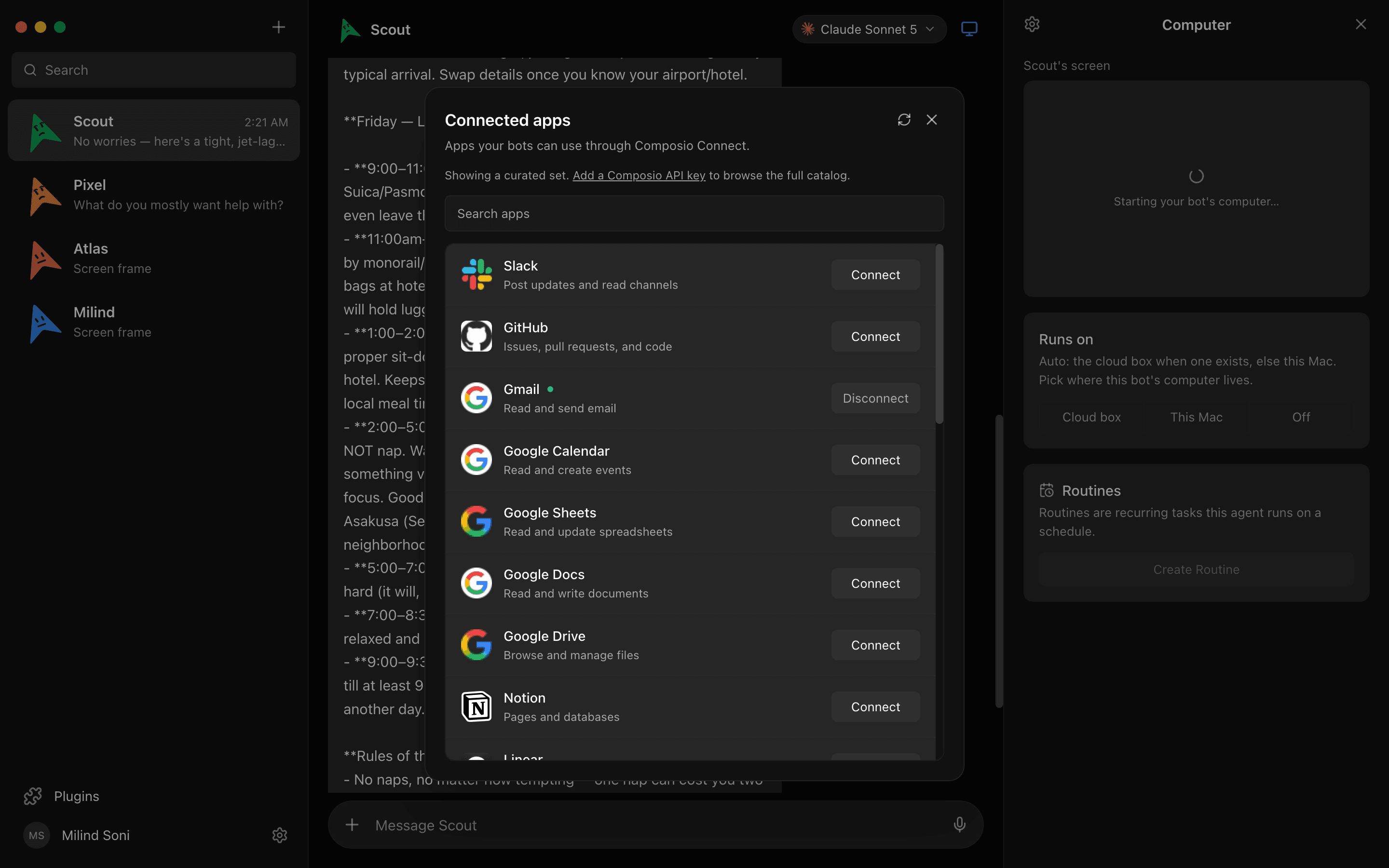
Connected apps. Slack, Notion, Gmail, and hundreds more over Composio: 500 and counting. You authorize an app once with OAuth, every bot can use it, and the scoped token sits on your disk. No password is ever handed to a bot. Where Muse ships a specific connector that Composio does not list, the bot falls back to the browser on its own computer.
Approvals. Meta's one line, nothing publishes, sends, or spends without your approval, is a policy you take on faith. In MausBot it is a card. Shell commands and file edits a bot wants to make surface as Allow / Deny cards in the chat before they run, on your machine or on a cloud computer, and a question from the bot lands as a card you answer. The decision log keeps the record. When a bot in a room wants to hand work to another bot, that too is a card: the peer-comms approval decides which bots may talk to which.
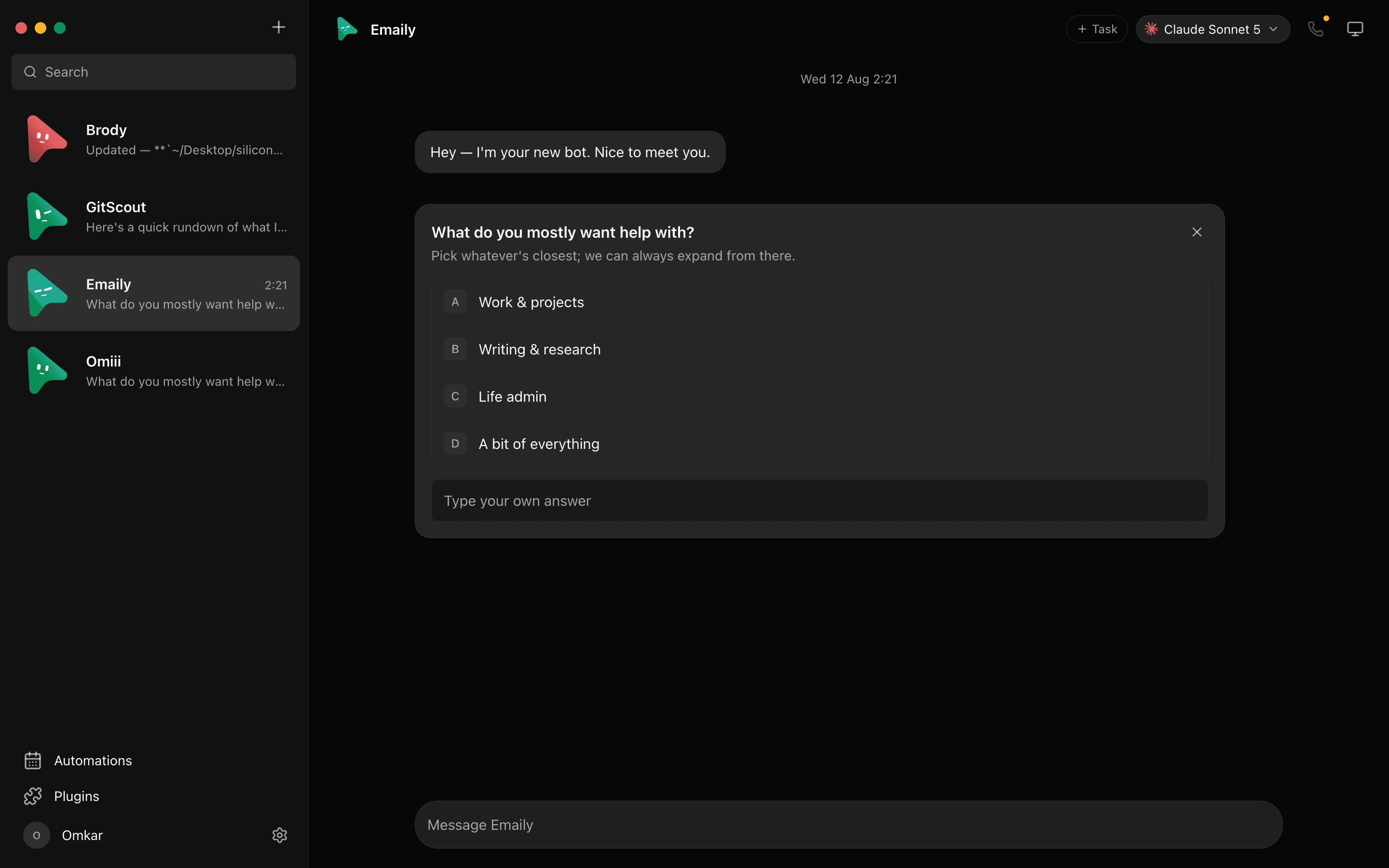
Routines and rooms. A routine runs a bot on a schedule or from a webhook, so the finance bot reviews the month on the first and the sales bot posts a brief every Monday. Rooms are where the bots hand off: the sales bot asks the finance bot a question, the inbox bot drafts the reply, and one answers by default, or all, or only the one you @mention. A team is a file you can export and import, or pick from the botmrr.io catalog. Everything above is in the free app; the transcripts, keys, and events stay in ~/.openmausbot on your disk.
Price for a five-person shop
Muse: $0 to $100 a month per person, so $0 to $500 a month for five, and nothing is shared. Five people have five Muses in five personal Meta accounts.
MausBot: the app is free, with unlimited bots, rooms, routines, and connected apps, and model usage is on the Claude, ChatGPT, or Grok accounts your people already have. When the laptops need to stay shut, the Team plan is $169 a month for up to five people, run by us: shared bots, rooms, and roles, 4 cloud computers at once, 250 computer-hours a month shared, about 5 hours of voice, and priority email support. Business is $599 a month for up to twenty with an admin console, 10 computers, and 1,000 hours, or $299 a month billed yearly if you host it yourself. Model usage stays on your own accounts at every tier.
Where Muse is ahead
Setup is zero. You open the app you already have and turn on connectors; MausBot needs a download and a signed-in CLI on each machine. Muse can phone US businesses for you, in beta; MausBot bots do not make outbound calls. Facebook Pages, Instagram analytics, and Meta ad accounts are native connectors, and MausBot has no native connector for them. Shopify, Stripe, QuickBooks, and Klaviyo are on the launch list. And Muse keeps working from the phone in your pocket, on iOS, Android, and WhatsApp, with the agent in Meta's cloud; a MausBot bot keeps working with the laptop closed only when it is on a cloud computer or you are on a paid plan.
Which to choose
Choose Muse for Small Business if you are a one- or two-person shop in the US or Canada, your business runs on Instagram and Meta ads, you want zero setup and a phone that does the work, and you are at peace with Meta holding the computer and the credentials.
Choose a team of bots you own if more than one person needs to share the agents, if you want the inbox bot and the finance bot on different models, if the books and the customer list have to stay on your own disk or your own server, if you are outside the US and Canada, or if someone has to read the code before it touches company data. Start with the free app and three bots in a room.
For the consumer comparison, see open-source alternative to Meta Muse; for how Muse sits against Grok Bot, dots, and Cue, see Muse vs Grok Bot vs Dots vs Cue.
Frequently asked questions
- Is Muse for Small Business free?
- For most people, yes. It is not a separate product; it is a set of business skills and connectors inside the personal Muse. Meta's help center says it is in limited testing and not available in all locations. The paid tiers are the consumer ones: Power at $20 a month with 500 million tokens a week, and Maximum at $100 a month with 3 billion a week, per person.
- Is Muse for Small Business available outside the US and Canada?
- No. Muse opened in the US on September 8 and in Canada on September 18, and there is no date for the UK, the EU, or anywhere else. MausBot has no region check; it runs wherever your Claude, ChatGPT, or Grok login works.
- Does Muse for Small Business have team or business accounts?
- No. There is no business account, no seats, no org, no admin controls, and no business data processing agreement published. Each employee uses their own personal Muse with the business connectors turned on. MausBot's Team plan is $169 a month for up to five people with shared bots, rooms, and roles, and Business is $599 for up to twenty with an admin console.
- Can I give each employee their own agent?
- With Muse, each person already has one, and only one, and it lives in that person's Meta account. With MausBot, bots are unlimited and free, so a person can have several, a team can share a room of them, and the whole team can be exported as a file and imported on a new hire's machine.
- What is the open-source alternative to Muse for Small Business?
- MausBot, published on GitHub as MausBot under Apache 2.0. It is a chat app where every contact is a bot with its own model, computer, and connected apps, running on your own machine with transcripts in ~/.openmausbot. For the consumer comparison, see our Meta Muse alternative post.
Get started with your first three bots
No region check, no card, no waitlist. Download for macOS, Windows, or Ubuntu, sign in with the CLIs you already have, make a sales bot, an inbox bot, and a finance bot, and put them in a room. Or read the source on GitHub first. When the team needs it run for them, the Team plan is $169 a month for up to five people.