· 9 min read · Omkar Satpute and Milind Soni
MausBot vs Claude Code: what each is for, and using both
Claude Code is Anthropic's coding tool. MausBot is a chat app of bots that runs the claude CLI under it. What each does, what changes, and the price.
MausBot and Claude Code are not rivals. Claude Code is Anthropic's coding tool; MausBot is a chat app of bots, and a MausBot bot on Claude is Claude Code's own CLI running under it, on your login. Use Claude Code when the job is a codebase and you want worktrees, pull requests, and an IDE. Use MausBot when you want several agents on several models, working on more than code, from a chat window or a phone. Anyone who runs a Claude bot in MausBot has both installed, because a Claude bot runs on the claude CLI.
Two different kinds of thing
Anthropic describes Claude Code as "an agentic coding tool that reads your codebase, edits files, runs commands, and integrates with your development tools." It is available in the terminal, in the Code tab of the Claude Desktop app, on the web at claude.ai/code, and inside VS Code and JetBrains. As far as the docs describe, each of those surfaces is built around a project or repository.
MausBot, published on GitHub as MausBot, is a chat app where every contact is a bot with its own model, its own computer, and its own connected apps. It is built for running a team of agents on any job, and code is only one of those jobs. It is a chat app, not an IDE, and that is a deliberate choice.
So a search for a "Claude Code alternative" usually lands on lists of other coding tools. This post answers three different questions: what Claude Code does that MausBot does not, what MausBot adds that Claude Code does not, and what changes when Claude runs inside MausBot.
MausBot vs Claude Code, side by side
The Claude Code column comes from Anthropic's docs and pricing page as they read on October 3, 2026. Several of the features in it are marked research preview, experimental, or beta by Anthropic, and the cells say so.
| Claude Code | MausBot | |
|---|---|---|
| What it is | An agentic coding tool that reads your codebase, edits files, and runs commands | A chat app where every contact is a bot with its own model, computer, and connected apps |
| Built for | Software development: repositories, git, pull requests, CI | Running a team of agents on any job: code, inbox, research, ops |
| Models | Claude only: Opus 5.5 by default, Sonnet 5.5, Fable 5.1. Served by Anthropic, Bedrock, Google Cloud, or Microsoft Foundry | Claude, Codex, Grok, and more, chosen per bot |
| Mixing models in one conversation | No. A different tool can be exposed to Claude as an MCP server | Yes. A bot can switch engine mid-conversation, and bots on different models share a room |
| Several agents | Subagents, parallel sessions in git worktrees, /batch; agent view (research preview); agent teams (experimental, off by default); Projects (public beta) | As many bots as you like, each a contact with its own thread |
| Agents talking to each other | Inside Claude Code only; the workers are always Claude sessions | Group rooms with @mentions and hand-offs between bots on different models, behind a peer-comms approval card |
| Interface | Terminal, the Code tab of the Claude Desktop app, claude.ai/code, VS Code and JetBrains | A chat app: a sidebar of bots, threads, and cards |
| Where it runs | Your machine, or an Anthropic cloud session working on a GitHub repository | Your machine, or a cloud desktop per bot |
| Keeps working with the laptop closed | Cloud sessions and Routines do, on a GitHub repository. Anything that touches local files needs your machine on | Bots on a cloud computer do, or the whole team on a paid cloud plan |
| Phone | No separate app. The Code tab in the Claude iOS and Android app is a client for cloud sessions, Remote Control, and Dispatch | iOS and Android companion apps |
| Scheduling | Cloud Routines (research preview, 1-hour minimum interval, fresh repo clone); Desktop scheduled tasks (machine on, 1-minute minimum); /loop in an open session | Routines on a schedule or from a webhook; cloud scheduled tasks on the paid cloud plans |
| Approvals | Permission modes: Manual, acceptEdits, plan, auto (classifier-reviewed, the starting mode in the terminal and VS Code on current versions), dontAsk, bypassPermissions | Allow / Deny cards in the chat for shell commands and file edits, answer cards for questions |
| Your CLAUDE.md, skills, and hooks | Loaded, along with plugins, MCP servers, and auto memory | Kept out of bots by default. One switch adds your Claude Code MCP servers; one environment variable restores everything |
| Price | No free tier. Pro $20 a month, Max $100 or $200, Team, Enterprise, or an API key billed per token | The app is free. Cloud plans are $29, $49, and $99 a month. Model usage is billed by your provider |
| License and source | Anthropic's first-party product, under Anthropic's terms | Open source, Apache 2.0, on GitHub |
What Claude Code does better
If your work is a codebase, Claude Code has a coding surface MausBot does not try to match. Put plainly: MausBot has no diff pane, no pull request monitoring, and no worktree manager.
- Parallel work on one repository. Sessions in git worktrees, subagents,
/batch, and, in preview, experimental, or beta, agent view, agent teams, and Projects. - Cloud sessions. A session on claude.ai/code, in Anthropic's words, "keeps running after you close your laptop," working on a GitHub repository.
- Routines. Scheduled runs in Anthropic's cloud with your machine off, started by a schedule, an API call, or a GitHub event.
- Permission modes. Manual, acceptEdits, a Plan mode, and an auto mode where a classifier reviews actions in your place, plus dontAsk and bypassPermissions.
- Where developers already are. A VS Code extension, a JetBrains plugin, a Chrome extension, GitHub Actions, and Slack.
- Extensibility. Hooks, skills, plugins, MCP servers and connectors, CLAUDE.md with auto memory, headless
claude -p, and an Agent SDK for Python and TypeScript.
It is also first-party. Claude Code is made and supported by the company that makes the models, and new Claude models reach it directly. MausBot depends on that work rather than competing with it: every improvement to the claude CLI is an improvement to every Claude bot. If you want a window on top of Claude Code and nothing else, read Claude Code desktop app and GUI options.
What MausBot adds
Every model, per bot
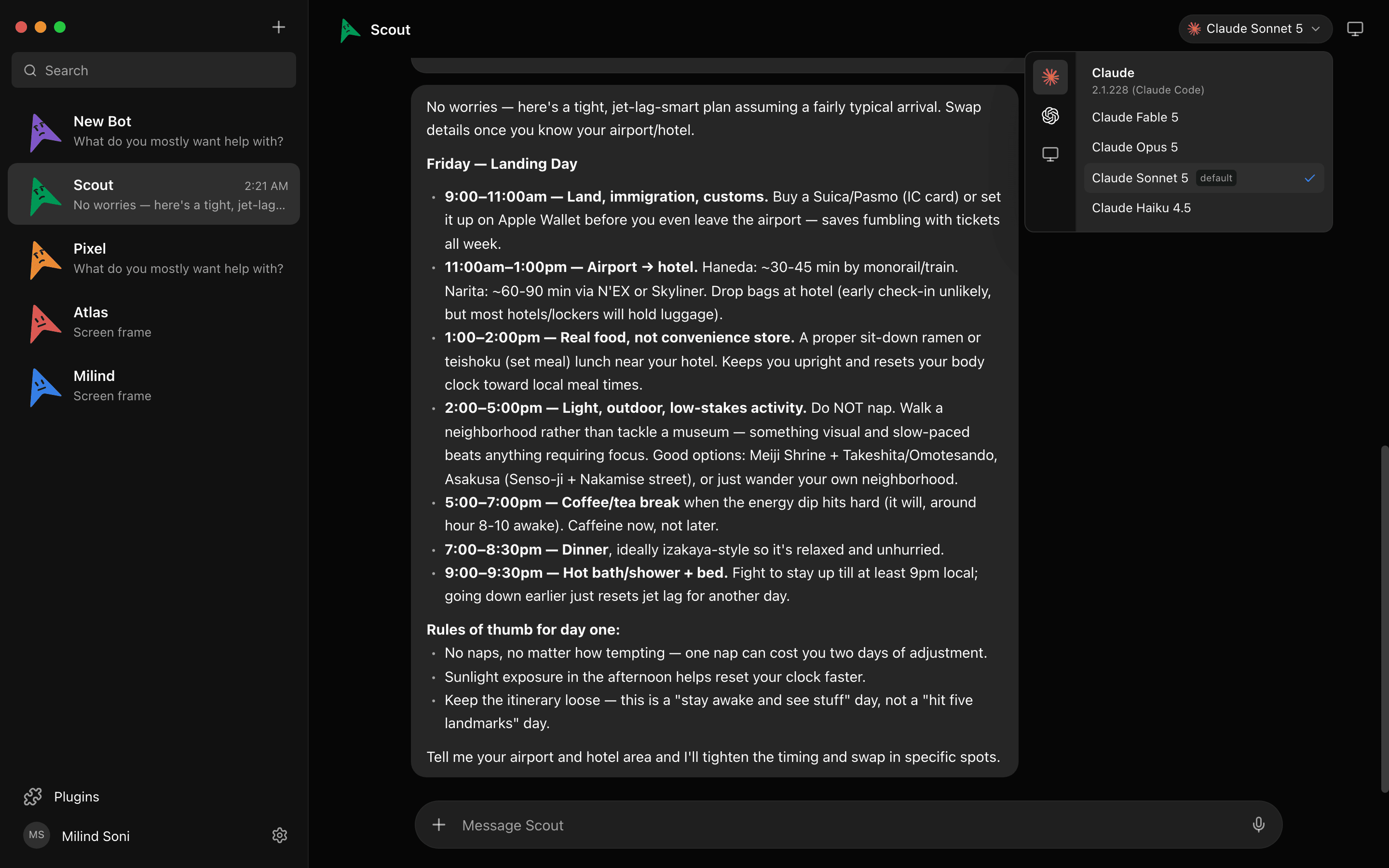
Claude Code runs Claude. In MausBot the model is a setting on each bot, so a Claude bot sits next to a Codex bot and a Grok bot in the same sidebar, each on the plan you already pay for. You can change a bot's model in the middle of a conversation and it carries on in the same thread. That is the honest answer to "Claude Code with other models": Claude Code stays Claude, and the other models become the bot next to it.
A team in a room
Claude Code can run multiple agents in parallel, and its docs are exact about what they are: "In every approach the workers are Claude sessions. To involve a different tool, expose it to Claude as an MCP server." As far as the docs describe, there is no group chat between agents from different vendors.
In MausBot a Claude bot and a Codex bot can sit in one group room and hand work to each other: one writes the patch, the other reads it, and you arbitrate. A peer-comms approval card lets you decide which bots may talk to which. The companion comparison for the other half of that room is MausBot vs Codex.
A bot per job, not a session per repo
A Claude Code session is, as the docs describe it, tied to a project directory or repository. A MausBot bot belongs to a job. It has its own thread, its own computer, and its own connected apps over Composio, so the bot that triages your inbox, the one that does research, and the one that watches ops are three contacts and none of them needs a git checkout. Routines run a bot on a schedule or from a webhook. This is what people searching for "Claude Code for non-developers" tend to be after: the same agent, without the terminal or the repository.
Phones and voice
Claude Code has no standalone mobile app; Anthropic's docs call the Code tab in the Claude app "a client for Claude Code sessions rather than a place where code runs." MausBot has iOS and Android companion apps for the same bots you run on the desktop. Bots can read replies aloud, and you can call one in the app.
Approvals as cards in the chat
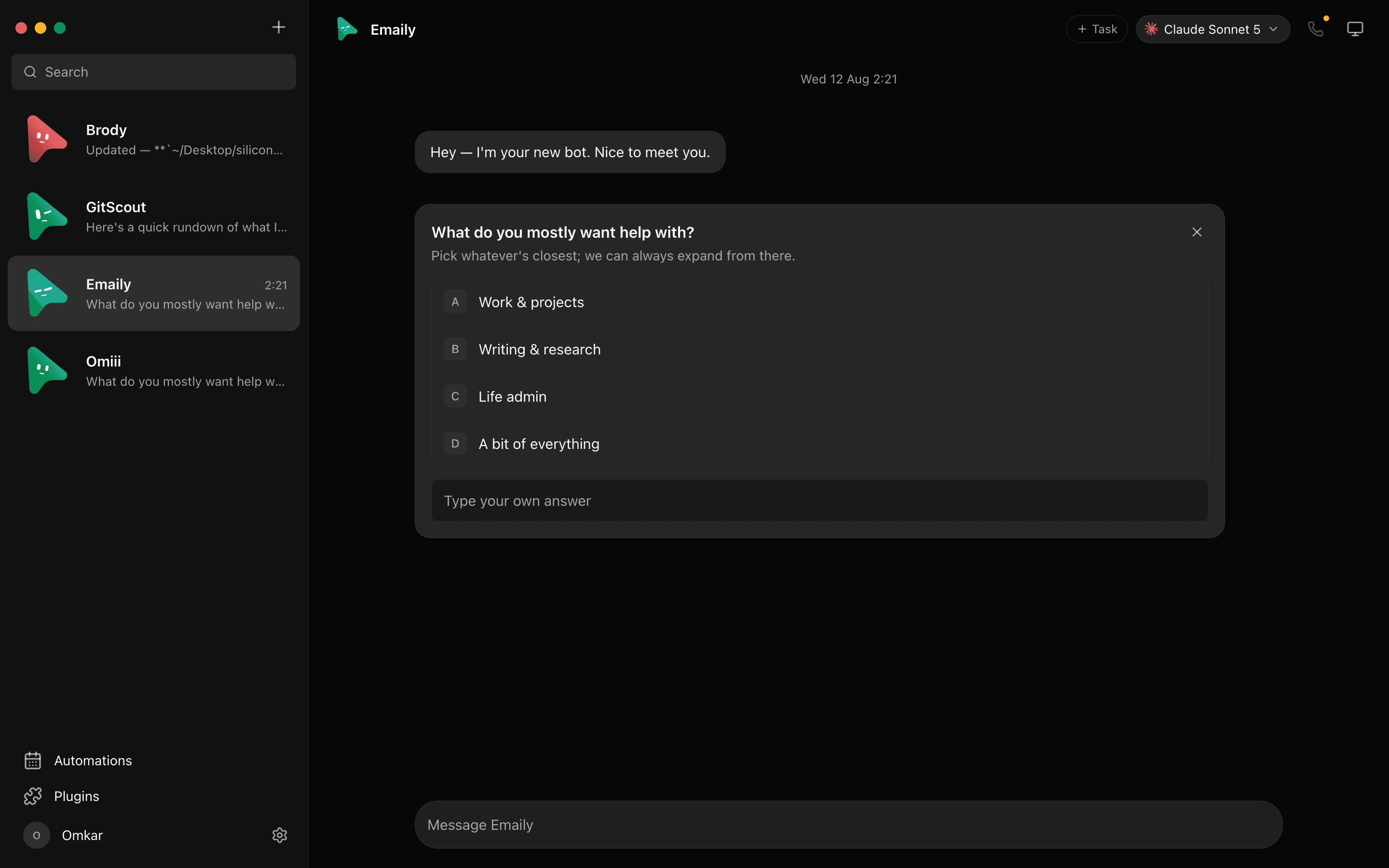
Claude Code handles permission through modes you choose for a session. In MausBot, shell commands and file edits surface as Allow / Deny cards in the conversation, and a question from the bot arrives as an answer card.
Open source and local data
MausBot is Apache 2.0 licensed. A small harness on 127.0.0.1 owns every agent process, and conversations, keys, and events stay in ~/.openmausbot on your disk. What leaves your machine is what the model CLI sends to the provider you chose.
What changes when Claude runs inside MausBot
This is the part most comparisons skip, and it matters if you already use Claude Code every day.
It is your CLI and your login. A Claude bot spawns the claude CLI installed on your machine, with the login it already has. There is no proxy. MausBot reads claude --version and only passes flags your installed version accepts, and the Engines page shows a notice when an update is available.
Your limits are the same limits. The rolling five-hour window and the weekly limit on your Claude plan apply exactly as they do in Claude Code, and they are shared with your other Claude use. Five Claude bots working at once draw from one allowance.
Your personal Claude setup stays out by default. MausBot launches Claude with --setting-sources project and --strict-mcp-config. Your user and local Claude config, your skills and agents, your hooks, and your personal ~/.claude/CLAUDE.md are not loaded into bots, because they were inflating every turn. If you rely on those in Claude Code, expect a bot to behave like a clean install.
You can let some of it back in. Under Plugins, then MCP servers, the switch "Also use my Claude Code MCP servers" adds your Claude Code MCP servers and connectors to every Claude bot; skills, hooks, and your personal CLAUDE.md still stay out. Setting OMB_CLAUDE_INHERIT_USER_CONFIG=1 restores the full old launch for every Claude bot. A bot's own project folder can also carry its own .mcp.json, which is the tidier way to give one bot one set of tools.
MausBot keeps the conversation record. The full transcript lives in MausBot rather than only in the CLI's session, which is why a bot can switch from Claude to Codex mid-conversation and carry on. What your bot remembers explains how that record works.
Limits and price, side by side
Is Claude Code free? No. Anthropic's pricing page says it is included in all paid plans: Pro at $20 a month, Max at $100 or $200, Team, and Enterprise. The other route is an API key, billed per token, which gives up cloud sessions, mobile, Slack, Desktop, Routines, and Remote Control. At a plan limit you wait, upgrade, or turn on usage credits at API rates.
MausBot the app is free and adds no quota. It also brings no model, so a Claude bot still needs a Claude plan, and its usage is billed by Anthropic on your own account. API keys work in MausBot too, but today an API-key connection supports chat only, not agent tools, so a working Claude bot wants the CLI login.
The paid MausBot plans are for something else: keeping bots running with the laptop closed. Every paid plan includes an always-on cloud workspace and cloud scheduled tasks: Personal is $29 a month, Pro is $49 with up to 4 cloud computers at once, and Max is $99 with the biggest cloud machine. Model usage stays on your own account on every plan. The details are on the pricing page.
Who should use which
Claude Code alone is right if you are a developer, your work lives in repositories, and Claude is the only model you want. You get worktrees, cloud sessions that open pull requests, IDE integration, and permission modes, and MausBot would add a layer you do not need.
MausBot alone is right if you are on a ChatGPT or Grok plan and want agents without buying a Claude plan, or if you are not a developer and want an agent you message rather than a terminal you operate. Your bots run on the CLI for the plan you have.
Both is right if you already use Claude Code and want Claude to do more than code, or want it working beside another model. Keep Claude Code for the repository work where its coding surface earns its place, and run MausBot for the standing jobs: the bots that answer on your phone, sit in a room with a Codex bot, and ask before they act.
Frequently asked questions
- Is MausBot a Claude Code alternative?
- Only partly. If you want a different way to work with Claude, a chat app instead of a terminal, then yes. If you want a replacement for Claude Code as a coding tool, no: a MausBot bot on Claude is the claude CLI itself, running under a chat app, and MausBot has no diff pane, pull request monitoring, or worktree manager. What MausBot adds is other vendors' models beside Claude, and bots that are organised around a job rather than a repository.
- Do I need a Claude subscription to use MausBot?
- Not to use MausBot. A Claude bot that uses agent tools needs your Claude login; an API key works for chat only today. The app is free and brings no model of its own. A Claude bot uses your Claude login, a Codex bot uses your ChatGPT sign-in, and so on, so someone with only a ChatGPT or Grok plan can run MausBot without any Claude plan.
- Does MausBot use up my Claude Code limits?
- Yes, at the same rate Claude Code would. A Claude bot spawns your installed claude CLI with your own login, with no proxy, so the five-hour session window and the weekly limit on your plan apply and are shared with everything else you do with Claude. MausBot adds no quota of its own and takes none away.
- Can Claude Code use other models, or work with Codex?
- Claude Code runs Claude models, whichever provider serves them. Its docs on parallel agents say: "In every approach the workers are Claude sessions. To involve a different tool, expose it to Claude as an MCP server." In MausBot a Claude bot and a Codex bot are two contacts that can sit in one room and hand work to each other. The step by step is in how to run Claude Code and Codex side by side.
- Is there a Claude Code for non-developers?
- Claude Code itself is built around repositories, git, and pull requests. As far as the docs describe, Anthropic serves non-developer work through Cowork, a separate tab in the Claude Desktop app. MausBot takes the same claude CLI and puts it behind a chat app, so a bot can run an inbox, a research job, or an ops task without you opening a terminal or a repository.
- Is MausBot open source?
- Yes. MausBot is Apache 2.0 licensed and published on GitHub as MausBot. Conversations, keys, and events are kept in ~/.openmausbot on your own disk.
Get started
If claude already works in your terminal, it will work as a bot. Download MausBot for macOS, Windows, or Ubuntu, pick Claude for your first bot, and add a second bot on another model when you want a second opinion. The source is on GitHub under Apache 2.0.