· 3 min read · Omkar Satpute and Milind Soni
Meet MausBot: your own team of AI bots, in a chat app
Meet the free, open-source chat app for your own team of AI bots. Bring a supported provider, try a first task, and explore the project and its contributors.
MausBot is a free, open-source app for people who want to delegate research, writing, and everyday planning through a familiar chat interface. Each bot has its own conversation and purpose. Give it a clear job, review its work, and keep the result in the thread.
Start with a useful result
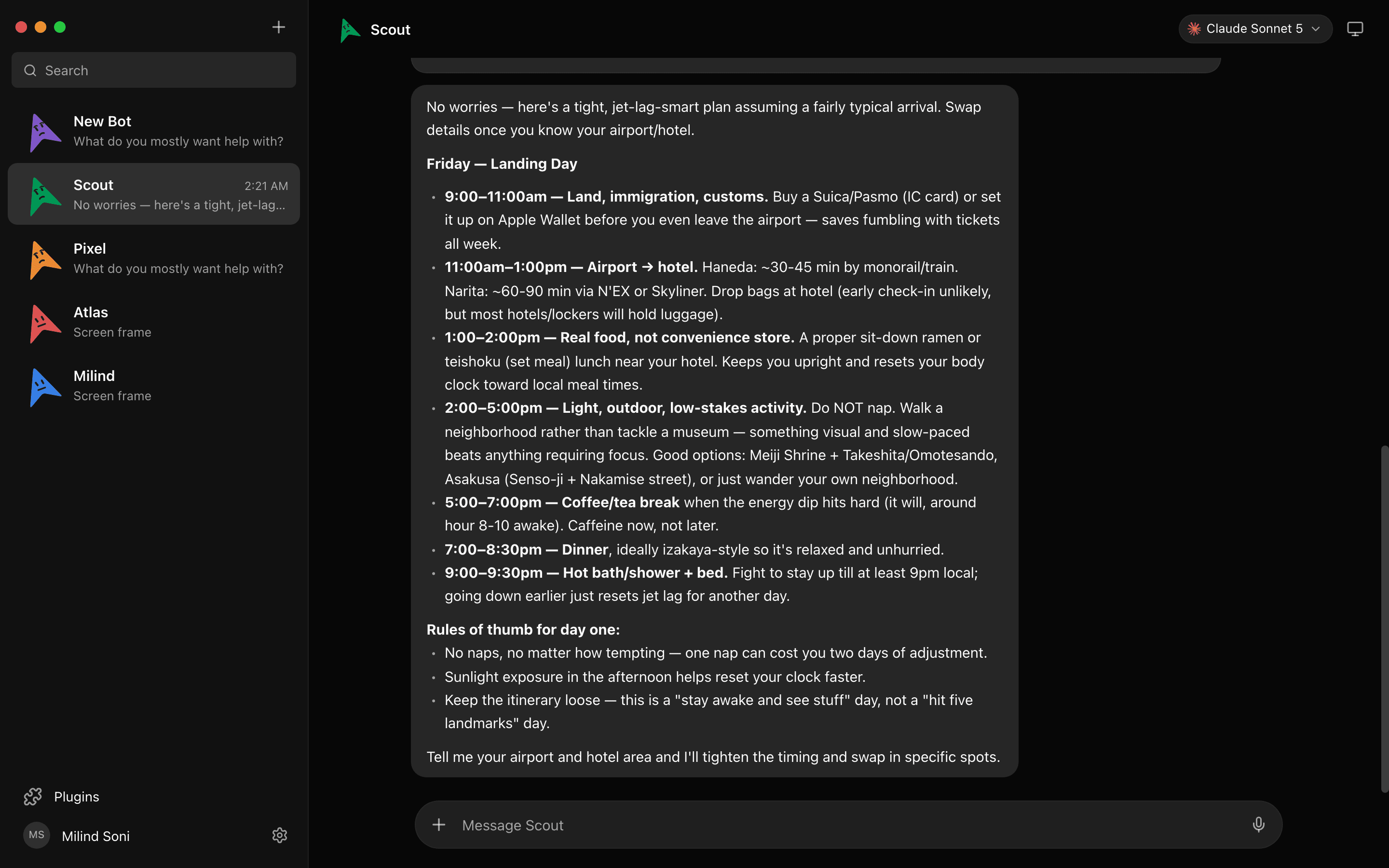
The existing app screenshot below shows Scout returning a timed travel itinerary. The bot lays out arrival steps, meals, and a walk, then asks for airport and hotel details to refine the plan.
Try a task without connecting other apps
Install the desktop app, connect one supported provider, and create a bot. Try this request in its chat:
Help me plan tomorrow morning. I have two hours to reply to emails, write a project update, and prepare for a meeting. Suggest how much time to spend on each task and put them in a simple schedule.
Your bot should suggest a two-hour schedule with time for each task. Adjust it to suit your day. This is a suggested first task; outputs vary by model. Follow the full setup guide to get started.
Free software, your model account
The app is Apache 2.0 licensed. AI usage comes from your supported provider account or API key, with that provider’s fees and limits. Connected apps, voice services, and Cloud hosting are optional and may have separate costs.
Desktop bots need the host computer to remain awake, online, and running MausBot. The phone apps are companions. Use an always-on server or optional paid Cloud workspace if you need work to continue independently of your laptop.
Built in the open
MausBot is made by Omkar Satpute and Milind Soni, with the people who contribute code, report bugs, improve documentation, and share feedback. See the project’s contributors and inspect the source code.
Download MausBot free, then give your first bot one small job. To share a workflow for the community showcase, include a task, a redacted screenshot, and an output others can learn from.